Please wait while your account is being registered at Tradewheel.com Loading Spinner

Join World's Fastest Growing B2B Network
- For Sellers

Becoming a distributor on Tradewheel.com is easy. We allow suppliers to post their company and product deta To improve your product visibility and reach more buyers, follow a few essential steps. Below is a guide to set up and manage your seller account effectively:

1. Add Company Details

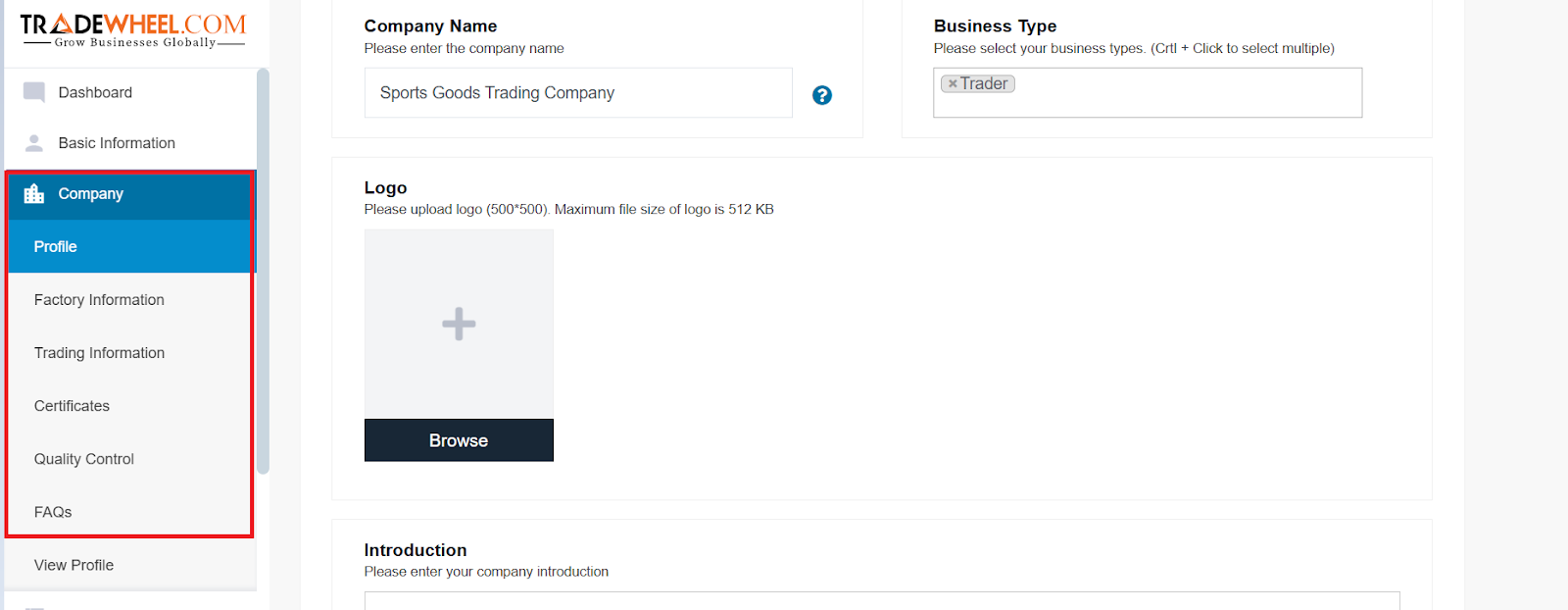
Your company profile is the first impression buyers get. Login to Tradewheel Members Area, and then go to the company > profile to add all the necessary detail about your company such as:

Profile 

Company name, business type, company logo, add a brief company introduction, profile banner, highlight product categories

Factory Information 

Factory location, size, Total number of QC staff, Total number of R&D staff, Total number of production lines, annual output, average lead time

Trading Information

Total Revenue (Annual), Export percentage, nearest port, company overseas office

Certificates

Name, certified by, issued date, expiry status options

Quality Control

Add detail quality control process 

FAQs

Add relevant FAQs 


All this information is not mandatory. However, posting more information about your company here would increase your reach and visitor to buyer ratio.

Product Posting


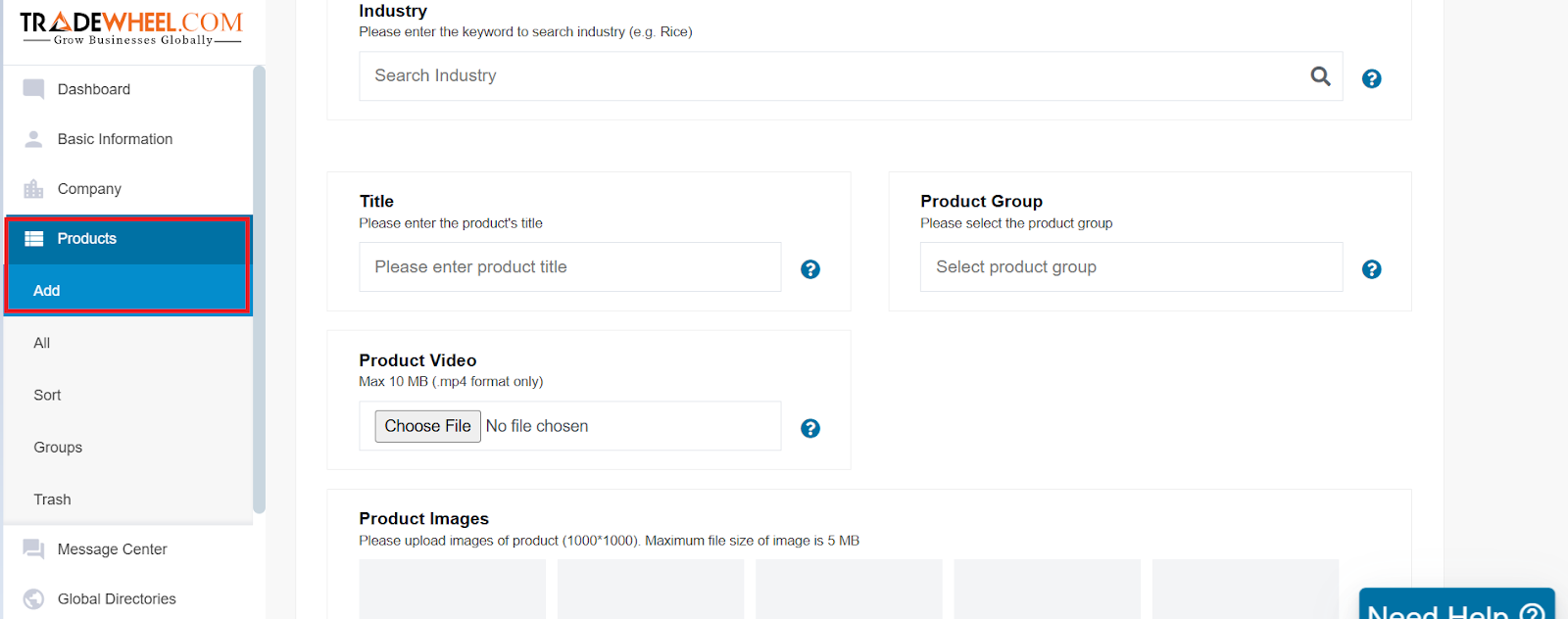
Posting products is a key step in showcasing your offerings to potential buyers. Tradewheel.com makes this process user-friendly. You can read this blog for detailed step-by-step instructions about product posting: How to Post Products on Tradewheel.com

Here’s a quick overview:

  • • Go to your member's dashboard
  • • Click "Add New Product"
  • • Add relevant information about the product such as: Industry, tittle, product group, product videos
  • • Upload high-quality images (minimum 3-4 images from different angles)
  • • Add precise product titles and keyword-rich descriptions
  • • Fill in key details such as MOQ, price, packaging, delivery time, and payment terms

Product Optimization Tips

Optimizing your product listings helps them rank higher in search results and appear more attractive to buyers. Here are some proven tips:

  • • Use specific and searchable titles (e.g., "100% Organic Cotton T-Shirt for Men with Round Neck" instead of just "T-shirt")
  • • Add SEO keywords in your title and description
  • • Write a detailed product description, covering size, features, usage, materials, certifications, and attributes that a potential buyer may want to know about.
  • • Select relevant categories and attributes
  • • Use bullet points for easy readability
  • • Update listings regularly to stay relevant

Responding to Buy Offers

Buy Offers are direct opportunities from active buyers. Responding fast and professionally can lead to fast conversions.

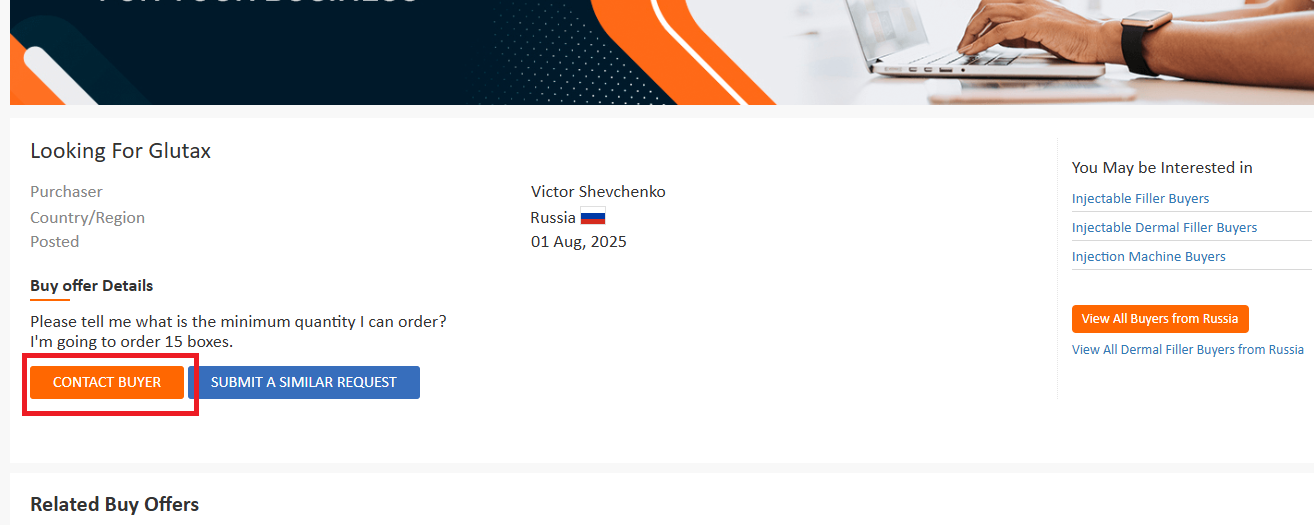
Once you find a relevant Buy Offer, click on the orange "Contact Buyer" button.

  • • Check your Buy Offer section regularly in your seller dashboard
  • • Provide clear and tailored responses (don't use generic replies)
  • • Include pricing, product specs, shipping time, and MOQ in your response
  • • Attach product catalogs or images where relevant
  • • Be responsive, ideally reply within 24 hours

Checking Response

After responding to Buy Offers, check for the response from buyers.

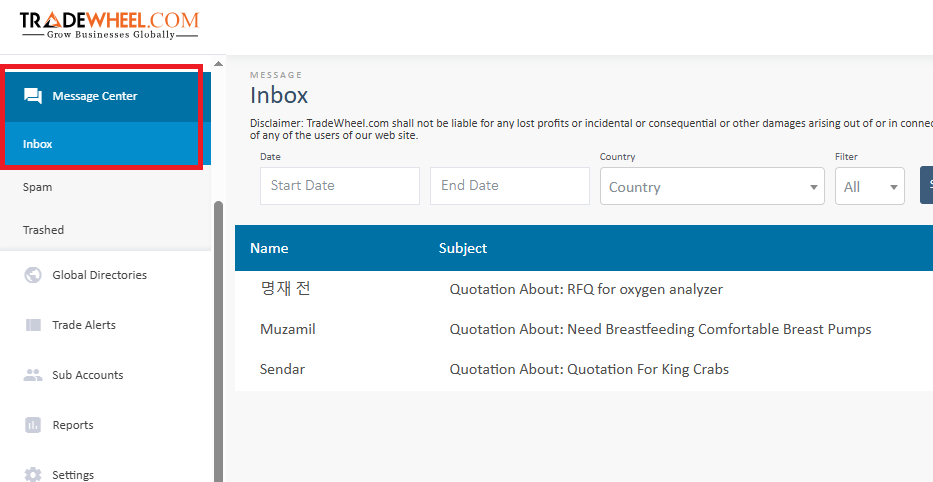
Login to Tradewheel Members Area, and then go to Message Center > Inbox to view all messages and replies on Tradewheel.com

You can compare offers, ask follow-up questions, and even request samples. Messages are simple to send and kept for later.

Trade Alerts

Trade Alerts help you stay updated on new Buy Offers that match your products.

Here’s how it works:

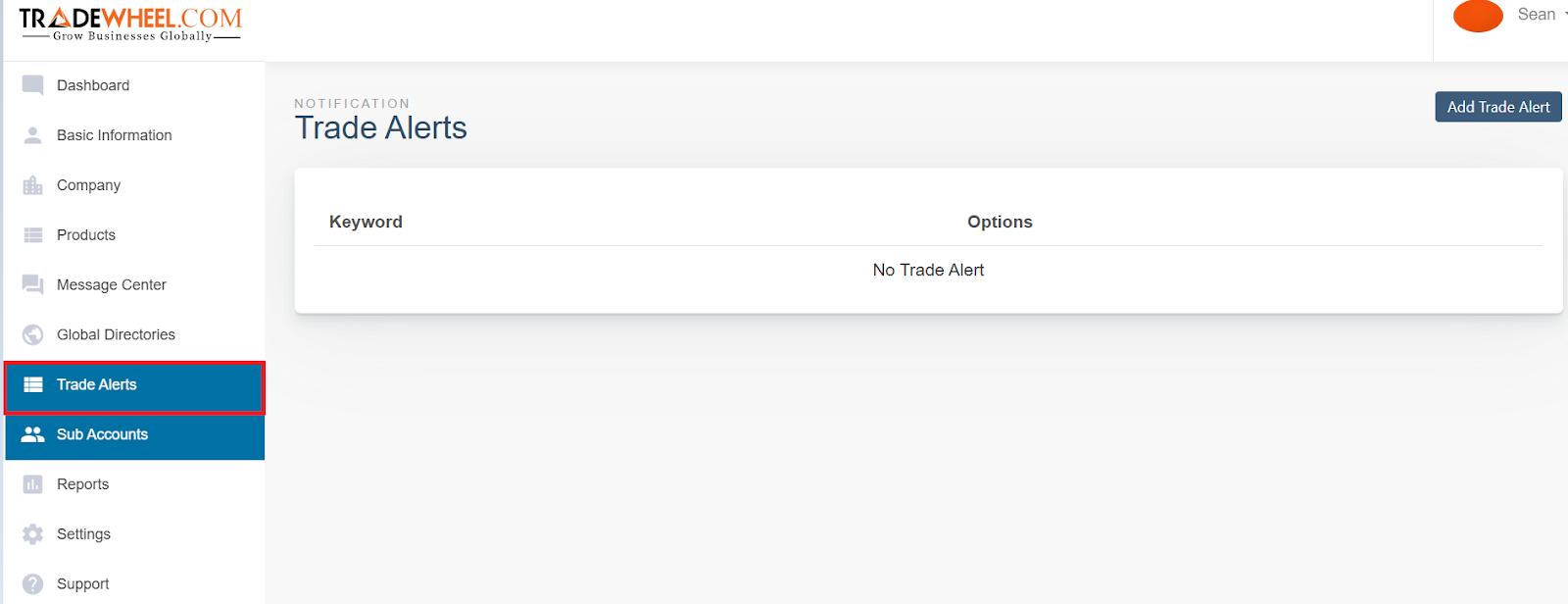
  • • Go to the Trade Alerts section in your seller dashboard
  • • Enter keywords relevant to the products you sell (e.g., "T-shirt", "cotton T-shirt", "men’s apparel")
  • • Add product name synonyms to capture a wider range of buyer interest
  • • When a Buy Offer is posted with those keywords, you’ll receive an email alert
  • • This allows you to act fast and contact buyers before your competitors do

Trade Alerts ensure you don’t miss relevant opportunities, even when you're not actively browsing the site.

chat with us
Register Your Company